Notepad — text transforms
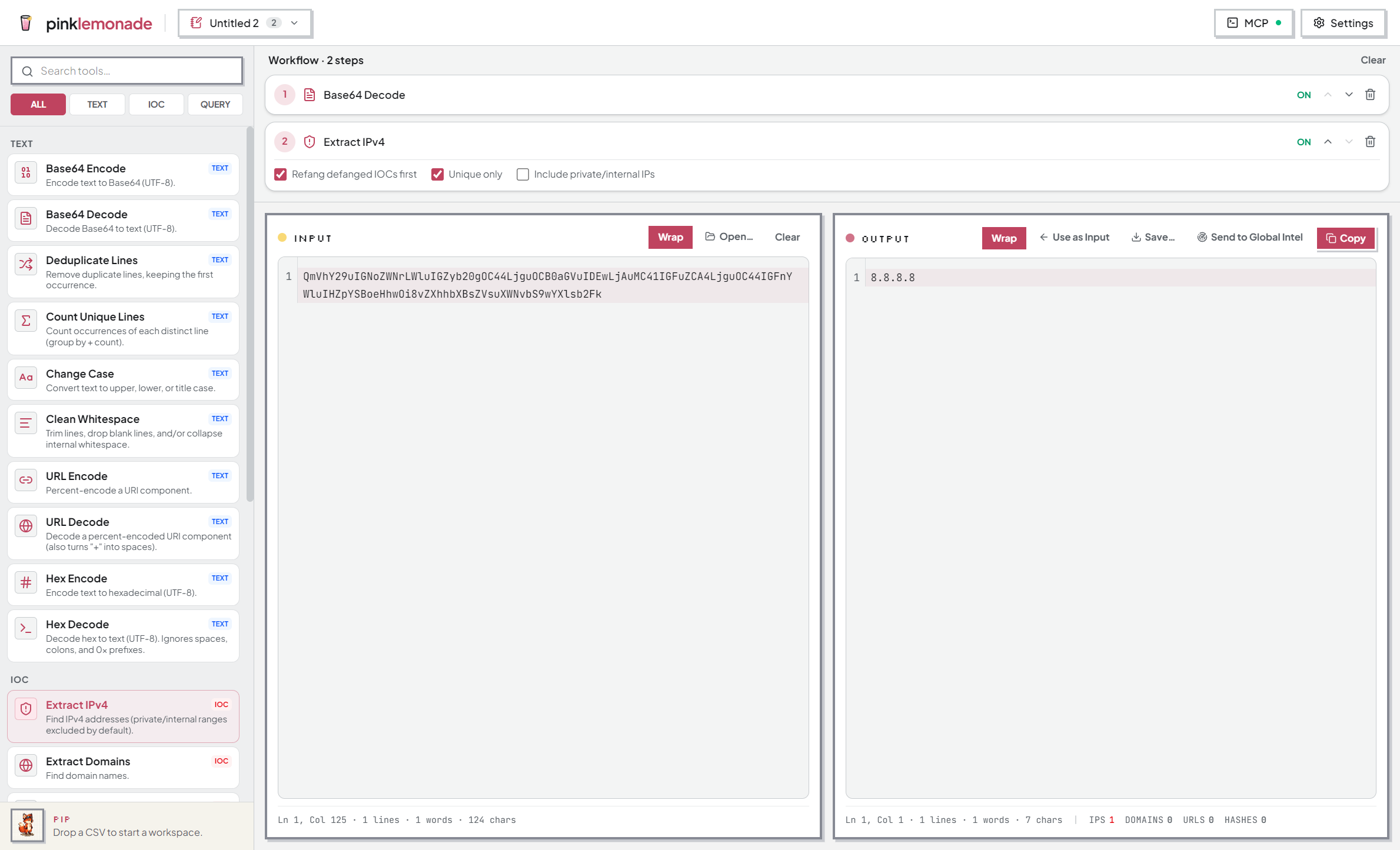
Paste or open text, chain tools over it, copy or save the result. Everything updates live.
How it works
- Left pane — input. Right pane — output.
- Click a tool in the palette to add it as a step. Steps run top to bottom; each feeds the next.
- Edit the input or a step’s options and the output updates instantly.
- If a step can’t process its input, the chain stops there and names the failing step.
The tools
- Encoding — Base64 and hex, both directions.
- IOC extraction — pull IPs, domains, hashes, URLs out of noisy text.
- Defang / refang —
1.2.3.4⇄1[.]2[.]3[.]4for safe sharing. - Cleanup — dedupe lines, trim whitespace, change case, count uniques.
- Query builders — turn an indicator list into a ready-to-paste CQL (CrowdStrike), KQL (Defender/Sentinel), or SPL (Splunk) clause.
The palette groups them under TEXT / IOC / QUERY with a search box. Example chain: Base64 Decode → Extract IPv4 → Defang = encoded blob in, shareable indicator list out.
Working faster
- Toggle a step off to bypass it without deleting it — compare results.
- Use as Input promotes the output back into the input pane to keep building.
- Ctrl+F finds in the focused pane; Enter / Shift+Enter step matches.
- Open / Save move text in and out of files.
Pivoting
- Send a column’s values from the data grid into a notepad, clean them up, then Send to Global Intel from the output pane to enrich them.